In summary:
- Fast-paced, high-stimulation shows can overwhelm a child’s developing brain, leading to tantrums.
- Active, interactive screen use promotes cognitive skills like problem-solving, whereas passive viewing does not.
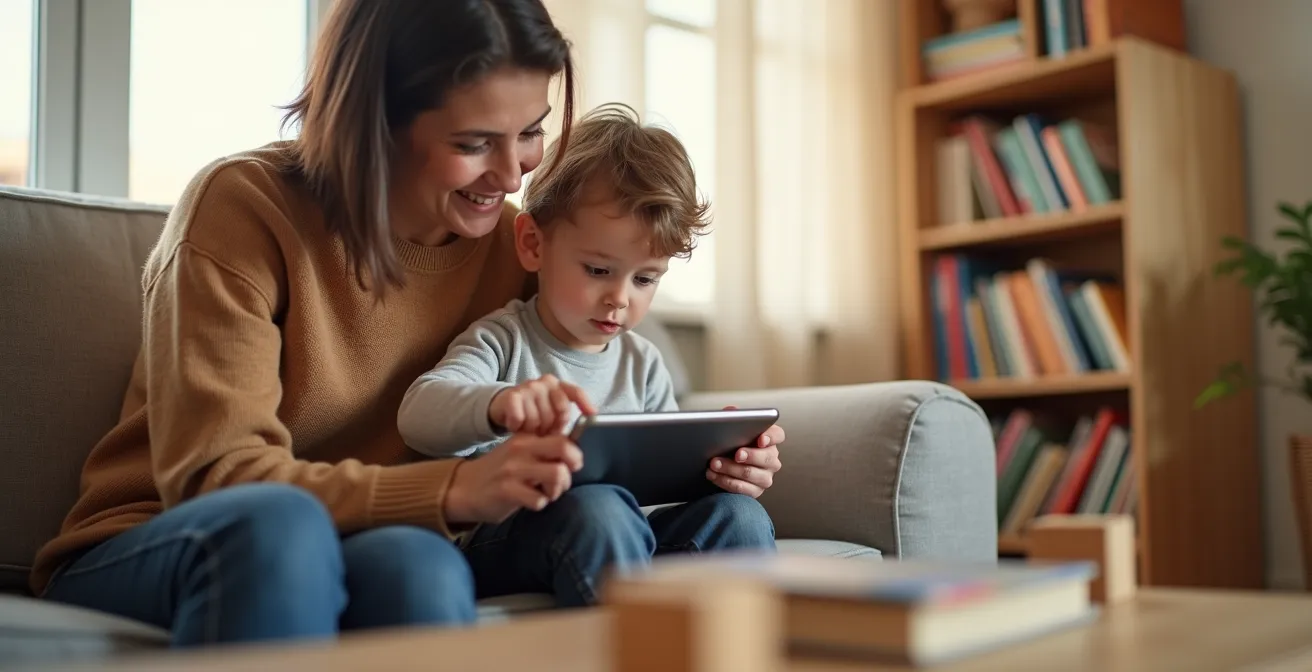
- Co-viewing with your child and discussing the content transforms passive screen time into a valuable language lesson.
- Creating screen-free zones, especially in the bedroom, is critical for protecting sleep quality.
The blue glow of the tablet is a familiar sight in many homes, often accompanied by a wave of parental guilt. The prevailing advice is simple and relentless: limit screen time. This focus on quantity, however, misses the bigger picture and often leaves parents feeling like they’re failing when they need a much-deserved break. The debate around screens is often framed as a binary choice between “good” and “bad,” a narrative that ignores the vast differences in digital content and how children engage with it. We see our toddlers mesmerized by singing vegetables and know intuitively that this is different from an interactive puzzle app, yet the guilt remains.
But what if the key wasn’t simply counting minutes, but evaluating the substance of those minutes? The real issue lies not in the screen itself, but in what’s on it and how it’s consumed. Shifting our focus from quantity to quality empowers us to make smarter, more intentional choices. This isn’t about eliminating screens but understanding the neurological and developmental mechanisms at play. By learning to distinguish between content that overstimulates and content that engages, we can move beyond guilt and begin to use technology as a tool, not just a pacifier.
This article will deconstruct the screen time dilemma from a researcher’s perspective. We will explore the science behind why certain shows trigger meltdowns, differentiate between active and passive screen use, and provide concrete strategies to turn screen time into a developmental opportunity. From configuring your device to reclaiming screen-free spaces, you’ll gain the knowledge to navigate the digital world with confidence.
To help you navigate these crucial topics, this guide is structured to address the most pressing questions parents face. Below is a summary of the key areas we will cover, providing a clear roadmap for making informed decisions about your child’s digital well-being.
Summary: A Guide to Navigating Your Child’s Digital World
- Why Fast-Paced Cartoons like Cocomelon Overstimulate the Brain?
- How to configure “Guided Access” to Lock Your Toddler in One App?
- Active Gaming vs Passive Watching: Which Is Better for Cognitive Skills?
- The Tantrum-Soothing Mistake That prevents Emotional Regulation Skills
- How to Watch With Your Child to Turn TV into a Language Lesson?
- Why Your Response to Babbling Builds Language Circuits Faster Than TV?
- Why Blue Light Suppresses Melatonin More in Children Than Adults?
- Reclaiming the Bedroom: Implementing Screen-Free Zones for Better Sleep
Why Fast-Paced Cartoons like Cocomelon Overstimulate the Brain?
If you’ve ever witnessed a “Cocomelon tantrum”—a child who is calm during the show but has an explosive meltdown the moment it’s turned off—you’ve seen the effects of overstimulation firsthand. The issue isn’t the songs or the characters, but the relentless pacing. A toddler’s brain is still developing its ability to process information and manage attention. Hyper-stimulating shows tax this developing system by creating an excessive cognitive load. They bombard the senses with rapid-fire visuals and constant sound, leaving no time for mental processing.
Research on children’s media pacing highlights a stark contrast: shows like Cocomelon feature scene changes every 1-2 seconds, compared to 10-30 seconds in more traditional programming like classic Sesame Street or Bluey. This frenetic pace can create a dopamine loop similar to a slot machine, conditioning the brain to expect constant, high levels of stimulation. When the screen is turned off, the real world feels slow and unengaging by comparison, leading to frustration and difficulty transitioning. Many parents on forums describe these post-viewing meltdowns as far more intense than reactions to slower-paced shows, illustrating the “withdrawal” effect.
To identify potentially overstimulating content, look for these features:
- Scene Change Frequency: Count how many times the image fully changes in a 30-second span. More than 10 is a red flag.
- Audio Density: Notice if there are any natural pauses for thought or if the audio track is a constant wall of music, sounds, and dialogue.
- Visuals: Extremely bright, high-contrast, and saturated colors can be more taxing on the visual system.
- Post-Viewing Behavior: The most important clue is your child. Observe if they are hyperactive, irritable, or have trouble focusing after watching.
How to configure “Guided Access” to Lock Your Toddler in One App?
One of the biggest challenges with tablets is the constant temptation for a child to exit an educational app and navigate to something less productive. Ads, pop-ups, and the home button can quickly derail a session of quality screen time. Fortunately, iOS devices have a powerful, built-in feature called Guided Access that acts as a digital fence, locking the device into a single application. This is an essential tool for ensuring that the quality content you’ve chosen remains the focus.
Configuring Guided Access is a one-time setup that gives you granular control over the user experience. You can not only keep your child in one app but also disable specific areas of the screen, like advertisement banners or in-app purchase buttons. This simple action transforms the device from a distracting portal into a dedicated learning tool, allowing you to hand it over with confidence.
Here is a step-by-step guide to enabling and using this feature on an iPhone or iPad:
- Go to Settings > Accessibility > Guided Access on your device.
- Toggle Guided Access ON. Tap on “Passcode Settings” to set a specific passcode for the feature (it’s best to make this different from your main device unlock code).
- Open the educational app you want your child to use.
- Triple-click the side button (on newer iPhones/iPads) or the home button (on older devices) to start Guided Access.
- The first time you use it, you can circle areas of the screen you want to disable. For example, draw a circle around a settings icon or an ad banner to make it unresponsive.
- Tap “Options” in the bottom-left corner to disable hardware buttons (like volume) or to set a time limit, after which the device will lock.
- Tap “Start” to begin the session. To end it, triple-click the button again and enter your Guided Access passcode.
Active Gaming vs Passive Watching: Which Is Better for Cognitive Skills?
The distinction between “active” and “passive” screen time is perhaps the most critical concept in evaluating content quality. Passive watching, typified by streaming videos or traditional cartoons, involves receiving information without any cognitive input from the child. In contrast, active screen time requires mental engagement, interaction, and decision-making. This includes activities like digital drawing, building in games like Minecraft, solving puzzles in an app, or using coding programs.
From a developmental perspective, active engagement is far superior. When a child solves a problem to advance in a game or uses their imagination to build a world in an app, they are exercising crucial cognitive skills. These include problem-solving, spatial reasoning, creativity, and strategic thinking. Passive viewing can build vocabulary or general knowledge if the content is high-quality (like a nature documentary), but it doesn’t flex the same cognitive muscles. While not all screen time needs to be a rigorous mental workout, prioritizing active and interactive content ensures that time spent on a device contributes positively to a child’s development.
The following table, inspired by a comparative analysis of screen time types, breaks down the key differences:
| Screen Type | Examples | Cognitive Benefits | Potential Drawbacks |
|---|---|---|---|
| Active Gaming | Minecraft, Toca Boca, coding apps | Problem-solving, creativity, spatial skills | Can be overstimulating if poorly designed |
| Quality Passive | Nature documentaries, Bluey, story podcasts | Vocabulary building, empathy development, world knowledge | Less physical interaction |
| Interactive Educational | Khan Academy Kids, PBS Kids games | Academic skills, focused learning | Quality varies widely |
The goal is not to eliminate passive viewing entirely—shared movie nights are a valuable family activity. Rather, the strategy is to shift the balance. When your child asks for screen time, try to steer them toward an active, creative, or problem-solving application first. This reframes the device as a tool for creation, not just a machine for consumption.
The Tantrum-Soothing Mistake That prevents Emotional Regulation Skills
In a moment of desperation—a public tantrum, a meltdown during a stressful phone call—handing over a phone or tablet can feel like a lifeline. It works almost instantly. The crying stops, and a placid calm takes over. While effective in the short term, consistently using screens as an emotional pacifier can inadvertently hinder a child’s ability to develop one of life’s most critical skills: emotional regulation. Recent survey data reveals that this is a common coping mechanism, with 28% of parents giving in to screen time to avoid tantrums multiple times per week.
When we offer a screen to a distressed child, we are teaching them that uncomfortable feelings can be suppressed or escaped rather than understood and managed. Child development expert Jerrica Sannes, MEd, puts it this way:
Using screens to soothe teaches emotional suppression, not regulation. This makes it impossible for the child to play creatively and without entertainment.
– Jerrica Sannes, Child development expert, MEd in early childhood
Emotional regulation is learned through a process of co-regulation, where a caregiver helps a child navigate their big feelings. This involves acknowledging the emotion (“I see you’re very frustrated”), validating it (“It’s okay to feel angry sometimes”), and guiding them toward coping strategies. Each time we bypass this process with a screen, the child misses a crucial opportunity to build the neural pathways for self-soothing and resilience.

Of course, there will be moments when a screen is the only practical option, and there should be no guilt in that. The key is intention. The goal is to make co-regulation the default response, reserving the screen for true emergencies. By consistently choosing connection over distraction, we provide our children with the emotional tools they will need for the rest of their lives, long after the tablet has been put away.
How to Watch With Your Child to Turn TV into a Language Lesson?
Even passive screen time, like watching a cartoon, can be transformed into an active, enriching experience through one simple strategy: co-viewing. Watching alongside your child and engaging them in conversation about what’s on screen is a powerful form of “media scaffolding.” You act as a bridge, helping them connect the digital content to their own knowledge and experiences. This dialogic approach is far more effective for learning than letting them watch alone.
The American Academy of Pediatrics emphasizes that young children learn significantly more from media when an adult is present to ask questions and help them make connections. This interaction turns a one-way flow of information into a two-way conversation, stimulating language development, comprehension, and critical thinking. You don’t need to narrate the entire show; a few well-placed questions or comments can make a world of difference.
A simple and effective method for co-viewing is the PEER technique, often used in dialogic reading but perfectly adaptable for screen media:
- Prompt: Ask your child a question about what is happening on screen. Start with simple “what” questions (“What is that character doing?”) and move to “why” questions as they get older (“Why do you think she is sad?”).
- Evaluate: Acknowledge and affirm your child’s response. This shows you are listening and values their input (“That’s right, he is climbing a ladder!”).
- Expand: Add a new piece of information to what your child said. This builds their vocabulary and understanding (“Yes, he’s climbing the ladder to rescue the cat from the tree.”).
- Repeat: Gently encourage your child to repeat the new information or expanded phrase. This helps solidify the new concept or vocabulary word in their memory (“Can you say, ‘He’s rescuing the cat’?”).
Using the PEER technique turns a 20-minute cartoon into a dynamic language lesson. It requires a bit more effort than passive viewing but pays huge dividends in cognitive and linguistic development, all while strengthening your connection with your child.
Why Your Response to Babbling Builds Language Circuits Faster Than TV?
In the quiet moments of infancy, long before screens become a topic of debate, one of the most powerful drivers of cognitive development is already at play: the “serve and return” interaction. When a baby babbles, gestures, or makes a facial expression (a “serve”), and a caregiver responds with eye contact, words, or a smile (a “return”), it ignites a neurological connection. This back-and-forth exchange is the very foundation of brain architecture and language acquisition.
A television show, no matter how “educational,” cannot replicate this fundamental process. A screen can “serve” information, but it cannot “return” a response that is attuned to the child’s unique vocalizations and cues. It’s a one-way street. When you respond to your baby’s “ba-ba,” you are telling their brain, “I hear you, what you’re saying matters, and we are in this together.” This validation and interaction builds the neural circuits for language and social communication far more effectively than any passively consumed media.
This isn’t just theory; developmental research consistently shows that minimizing screen time in early childhood leaves more time for the face-to-face interactions that are proven to be the best learning method. Every moment spent in a serve-and-return rally is a moment building a stronger, more resilient brain. The screen can wait; these foundational interactions cannot.
This principle holds true even as children grow into toddlers and preschoolers. The rich, responsive, and contingent feedback they get from a conversation with a caregiver—even a simple one about the color of a block—is more beneficial for language development than an app that simply names colors. The human element, with its emotional nuance and social context, is the irreplaceable ingredient in the recipe for learning.
Why Blue Light Suppresses Melatonin More in Children Than Adults?
The advice to avoid screens before bed is common, and the culprit is usually identified as “blue light.” But this warning is especially critical for children, as their developing eyes and brains are significantly more vulnerable to its effects. Blue light, a high-energy wavelength emitted by LEDs in phones, tablets, and TVs, is particularly effective at tricking the brain into thinking it’s still daytime. It does this by suppressing the production of melatonin, the hormone that signals to the body that it’s time to sleep.
While this affects everyone, children experience a much more dramatic impact. A child’s pupils are larger and the lenses of their eyes are clearer than an adult’s, allowing more light to penetrate to the retina. This physiological difference means they are more sensitive to light’s melatonin-suppressing effects. The consequences are significant, as sleep research has demonstrated that evening light exposure suppressed melatonin about twice as much in children compared to adults.
This heightened melatonin suppression sensitivity means that even a short amount of screen time before bed can delay the onset of sleepiness, shorten overall sleep duration, and disrupt the quality of a child’s rest. A tired child is more likely to be irritable, have difficulty regulating emotions, and struggle with focus and learning the next day. Protecting sleep isn’t just about ensuring a quiet night; it’s about safeguarding every aspect of a child’s daytime functioning and development. While “night mode” settings that warm the color temperature of the screen can help slightly, they do not eliminate the problem. The most effective solution is creating a clear, screen-free buffer zone before bedtime to allow melatonin levels to rise naturally.
Key takeaways
- Focus on content quality over screen time quantity to move from guilt to empowerment.
- Prioritize active, interactive screen use that promotes problem-solving and creativity over passive viewing.
- The human element is irreplaceable; co-viewing and “serve-and-return” interactions build brain circuits more effectively than any app.
Reclaiming the Bedroom: Implementing Screen-Free Zones for Better Sleep
Given the profound impact of blue light on children’s melatonin, the most effective strategy for protecting sleep is to create a non-negotiable, screen-free sanctuary in the bedroom. This structural change removes the nightly battle of wills over “one more video” and establishes a clear boundary that sleep spaces are for rest, not entertainment. The goal is to make the bedroom a calm, and perhaps even boring, environment where the brain can naturally wind down without digital stimulation.
Removing devices from the bedroom has been shown to have a direct and positive impact on sleep. Intervention studies have found that adolescents who committed to keeping screens out of their bedrooms fell asleep 20-30 minutes earlier and reported better overall sleep quality. While this might seem like a drastic step, it is one of the single most powerful changes a family can make to improve digital wellness and sleep hygiene. This rule should apply to all family members to model healthy behavior and demonstrate that everyone is part of the same team.
Making the bedroom a tech-free zone doesn’t have to feel like a punishment. It’s an opportunity to rediscover other forms of quiet entertainment and create a cozy, comforting atmosphere conducive to sleep.
Your Action Plan: Creating a Tech-Free Bedroom Sanctuary
- Establish a central charging station: Designate a spot in a common area, like the kitchen or living room, where all family devices (including parents’) are plugged in overnight.
- Swap screens for audio: Replace tablets or TVs with audio-only devices like a Yoto or Toniebox player, which offer stories and music without a stimulating screen.
- Create “boredom buster” kits: Have a basket in the bedroom filled with age-appropriate books, puzzles, coloring supplies, and simple building toys for quiet, independent play.
- Install warm-toned lighting: Use dim, warm-colored night lights for comfort instead of relying on the glow of a device.
- Design a cozy reading nook: Set up a comfortable chair or a pile of floor cushions with a good reading lamp to make books an inviting alternative.
Ultimately, navigating the digital world is not about rigid restriction but about intentional guidance. By understanding the ‘why’ behind the rules and focusing on quality, connection, and balance, you can transform screen time from a source of guilt into a manageable part of a healthy childhood.